
Andy's Frozen Custard
Andy's Frozen CustardFood & Drink
4.91.56K Reviews
- Version
- 26.0
- Installs
- 100.00K
- Age Rating
- Everyone
Screenshots

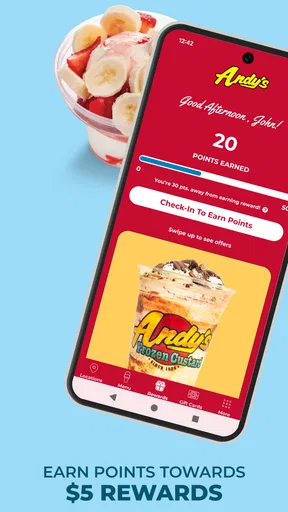
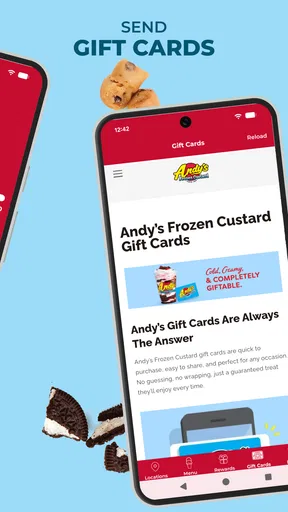
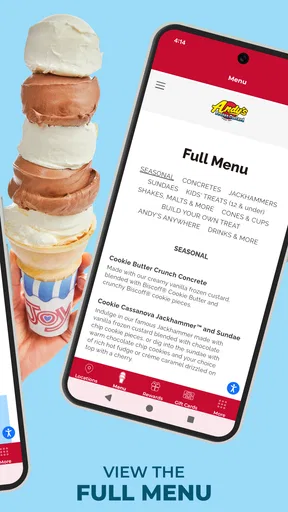
Our Review of Andy's Frozen Custard
 Analysis by Appyee
I approached Andy's Frozen Custard as a practical companion for visits rather than as a general food discovery tool. It comes from Andy's Frozen Custard, is free to use, and sits in the Food & Drink category. My first impression was that its value depends heavily on whether you already visit Andy's locations or expect to do so soon. It is not trying to replace a broad restaurant marketplace; its usefulness is tied to one frozen custard brand and to making that relationship easier on a phone.
The app has been available since June 12, 2014, and the current release is version 26.0. That long presence matters when I think about trust, although age alone is not proof that every experience will be perfect. What I can say from the visible store information is that it has built a substantial audience: the listing shows a 4.9 average from around 6,300 ratings, roughly 1,600 written reviews, and over 100,000 installs. Those figures suggest that many people find a reason to keep it installed, but they do not tell me whether it will fit your routine.
What the app is really useful for
The clearest use case is simple: I want Andy's Frozen Custard without having to treat every visit as a separate search. A dedicated brand app can be more focused than a general restaurant app because it starts with the place I already have in mind. If I am deciding where to stop after dinner, planning a dessert run with family, or checking the brand while I am away from my usual neighborhood, a focused experience can reduce the number of steps between intention and action.
That focus is also the first important trade-off. A broad food app is better when I am comparing several restaurants, searching across cuisines, or looking for independent shops nearby. This app makes more sense when Andy's is already the answer I am considering. I would not install it expecting a complete guide to local desserts. I would install it because I want a direct connection to this particular custard chain.
The store summary says the app introduces a new experience intended to improve mobile use. I read that as a sign that the developer has been working on the phone experience rather than leaving the product as a static brand page. Still, “improved mobile experience” is not a substitute for a feature-by-feature promise. My recommendation is to judge it by how quickly it helps with your own Andy's visits, not by expecting it to become a full restaurant platform.
A realistic visit from start to finish
Imagine that I am driving home with two children in the back seat and decide to stop for custard. The useful role for the app is to help me make that stop with less uncertainty: I can open the brand’s mobile experience, orient myself around the visit, and keep the decision inside one familiar place instead of jumping between search results, maps, and unrelated restaurant listings. The benefit is modest but real: fewer context switches when everyone is already asking what is taking so long.
For a planned visit, I would open it before leaving rather than while driving. I would use the app to prepare, then keep the phone away once I am on the road. That sounds obvious, but it is one of the practical differences between a useful food app and an annoying one. A tool that helps me decide before I leave is more valuable than one that encourages last-second phone handling in a parking lot or drive-through line.
I would also treat the app as a convenience layer, not as the only source of truth for every detail. Restaurant circumstances can change, and a mobile interface may not always reflect what I need at the exact moment. If a trip is time-sensitive, I would still use ordinary judgment and confirm the important part through the most direct available channel. The app can streamline a visit, but it should not make me careless about travel or timing.
Who will appreciate the focused design
This is a good fit for regular Andy's customers, families who make repeat dessert stops, and people who prefer a brand’s own mobile experience over a general-purpose food directory. It may also suit someone who wants a lightweight way to keep one restaurant brand close at hand instead of searching from scratch every time. The Everyone content rating makes it approachable for a wide household audience, although parents should still make their own decisions about how children use any phone-based service.
I would be more cautious about recommending it to someone who visits many unrelated restaurants, wants restaurant reviews across an entire city, or is mainly searching for dietary comparisons and broad menu discovery. Nothing about a focused Andy's app makes it a replacement for those tools. If your dessert choice changes constantly, a general food app or map service will probably be more useful as your primary option.
There is another subtle audience distinction. People who already know Andy's may get value quickly because they do not need the app to explain why they are there. New customers may need more context before deciding whether a dedicated download is worthwhile. For them, the best approach is to use it around a specific visit and then decide whether the convenience justifies keeping it installed.
Trust, controls, and moments that deserve attention
When I review a food app, I do not treat a polished interface as proof of trust. I look for visible choices, understandable account behavior, and a clear sense of what I am being asked to do. In this case, the developer is named as Andy's Frozen Custard, the app is free, and the store listing identifies it as an Everyone-rated Food & Drink app. Those details establish who is presenting the product and what kind of service it is, but they do not by themselves answer every privacy or account question a careful user may have.
That is why I would pay attention during setup and during any action that asks for personal information. I would read each permission prompt instead of approving everything automatically. If the app requests access that seems unrelated to the task I am trying to complete, I would pause and decide whether that access is necessary for me. I would also check the phone’s system settings afterward, because the operating system gives me a practical place to review or change permissions later.
This is not suspicion for its own sake. Food apps can involve location, notifications, accounts, saved preferences, or purchase-related steps, and each one creates a different moment for user choice. I want to know what I am enabling before I enable it. The safest habit is to grant only what I understand and to revisit those decisions when my use changes.
How I handle sensitive moments
Location is the clearest example. If I am trying to find an Andy's visit while away from home, location may be convenient, but I would consider whether I need continuous access or only temporary access. If the phone offers a choice between limited and ongoing use, I would select the narrowest option that still supports my task. I would not leave location enabled simply because it was convenient during one trip.
Notifications deserve the same treatment. A reminder can be useful when I am actively planning a visit, but repeated promotional messages can become clutter. I would enable them only if I genuinely want updates, then turn them off at the system level if they stop being useful. The important point is that I remain in control rather than treating every notification request as part of the price of using a free app.
Accounts and personal details are another point where I would move slowly. If a feature works without an account, I would prefer that route for casual browsing. If an account is needed for a particular benefit, I would use a unique password and provide only the information required for that purpose. I would also look for sign-out and account-management controls before committing, because leaving a service should be as understandable as joining it.
These are practical checks, not claims about hidden behavior. I do not infer data practices from the app’s category, its rating, or the fact that it is free. I judge only the choices I can see and the controls available on my device. That approach keeps the review useful without promising privacy protections that have not been demonstrated.
What the ratings tell me—and what they do not
The 4.9 average is unusually strong, and the number of ratings is large enough that I would not dismiss it as a handful of enthusiastic users. It tells me that the app has made a good impression on many people. The written reviews also give prospective users somewhere to look for recurring complaints or praise before installing. I would read recent comments with attention to practical issues such as sign-in friction, reliability, and whether the current version behaves well on my device.
At the same time, a high average does not guarantee that the app will be equally useful everywhere. A loyal customer may rate the brand experience highly even if the mobile tools are not central to their visit. Another person may care about controls or permissions that never affect a casual user. I treat the rating as a helpful signal, not as a substitute for checking whether the app matches my priorities.
The install count reinforces that this is not an obscure experiment. More than 100,000 people have installed it, which makes the product feel established enough to consider. Even so, adoption does not remove the need to review permissions, notifications, and account choices. Popularity can indicate usefulness; it cannot make personal decisions on my behalf.
Small habits that make the experience better
My first tip is to install it when I have a concrete reason, such as an upcoming Andy's visit, rather than downloading it automatically because I recognize the brand. That gives me a clear test: does it save time or reduce friction during the visit? If not, I can remove it without turning a minor convenience into permanent phone clutter.
My second tip is to make permission decisions after I understand the task. I would open the app on Wi-Fi or while stationary, look through the available screens, and then approve only the access that supports something I actually intend to use. This is more deliberate than tapping through setup, and it gives me a better sense of which choices are essential and which are optional.
My third tip is to separate planning from driving. I would choose a location or prepare the visit before starting the car, then rely on the phone only when safely parked. A food app should make a stop easier, not create a distraction. This workflow is especially helpful for families, where a quick dessert decision can otherwise turn into a rushed search from the road.
My fourth tip is to review the app after a few visits rather than judging it after one glance. The most valuable question is not whether it looks modern; it is whether I repeatedly return to it for a task that would otherwise take longer. If I never use the mobile experience after the first installation, uninstalling it is a sensible form of user control.
Where another option is better
I would choose a general map or restaurant app when I am comparing distance, opening information, and alternatives across several businesses. I would choose a broad food platform when I need discovery, reviews from many restaurants, or a wider range of ordering options. I would choose direct contact with a location when the visit is important enough that I need confirmation rather than a convenient mobile interface.
Andy's dedicated app wins when the brand is already part of my plan. Its narrow scope can be a strength because it avoids the noise of a huge marketplace. But that same narrow scope is a weakness for spontaneous exploration. If I am asking, “What dessert is best near me tonight?” I would not make this app my only tool. If I am asking, “How can I make my next Andy's stop simpler?” it becomes much more relevant.
There is also a storage and attention trade-off. A free app can still cost me notification space, permission decisions, and another account to remember. I would keep it only if the repeated convenience outweighs those small costs. For an occasional visitor, a mobile browser or familiar map search may be enough; for a regular customer, the dedicated experience may earn its place.
My cautious verdict for everyday users
I see Andy's Frozen Custard as a focused companion for people who already choose the brand, not as a universal food solution. Its established history, strong average rating, and broad install base make it reasonable to try, while the free price lowers the barrier to testing it. The current version, 26.0, also shows that the app is being maintained as an active mobile product rather than treated as a forgotten download.
My recommendation comes with a clear condition: use it intentionally. Start with the visit you already have in mind, examine permission and notification prompts, and keep only the controls that support how you actually use the app. Do not confuse a high rating with a personal guarantee, and do not assume that a brand-specific tool can replace a full restaurant search service.
For me, the strongest reason to keep it would be repeated visits where a direct Andy's experience saves a few steps each time. The weakest reason would be installing it simply because I want general dessert discovery. If your habits match the first situation, I think it is worth trying. If they match the second, I would stay with a broader alternative and use this app only when Andy's is already the destination.
Overall, I would describe it as a sensible, specialized Food & Drink app with a low-risk starting point and a trust decision that should remain personal. The best experience comes from combining its convenience with ordinary digital hygiene: review choices, limit access thoughtfully, manage notifications, and remove it if it no longer earns attention. Its real strength is not replacing every food tool, but making one familiar dessert stop easier to plan.
Verdict
Strengths of Andy's Frozen Custard
- Smooth, creamy custard with rich flavor and generous portions.
- Wide variety of concretes, sundaes, shakes, and seasonal treats.
- Drive-thru service makes ordering convenient for quick visits.
- Frequent flavor specials add variety for returning customers.
- Locations often provide outdoor seating for casual dessert stops.
Limitations of Andy's Frozen Custard
- Menu items can be high in calories, sugar, and saturated fat.
- Prices may feel expensive compared with standard fast-food desserts.
- Popular locations can have long lines during evenings and weekends.
- Limited savory choices make it unsuitable for a full meal.
- Seasonal flavors and availability vary by location and time.
Similar Picks in This Category
View All
Rappi: Food Delivery, Grocery
Rappi, Inc - Delivery3.5

McDonald’s: Cupons e Delivery
Arcos Dorados4.3

Swiggy: Food Instamart Dineout
Swiggy4.7

Blinkit: Groceries & more
Blinkit4.8

foodpanda: food & groceries
Foodpanda GmbH a subsidiary of Delivery Hero SE4.0

Zomato: Food Delivery & Dining
Zomato4.7
Frequently Asked Questions
What is Andy’s Frozen Custard, and what can I do with the app?
Andy’s Frozen Custard is a mobile app designed to help customers explore the brand’s frozen custard menu, find nearby locations, check store information, and view available treats. Depending on your location and the app version, it may also support ordering, rewards, promotions, or other convenience features. Availability can vary by restaurant, so it is worth checking your local store before relying on every option.
Can I order Andy’s Frozen Custard for pickup or delivery through the app?
The app may allow customers to place an order for pickup, while delivery availability depends on the specific Andy’s location and the delivery services operating in that area. After selecting a restaurant, review the available ordering methods, estimated preparation times, fees, and menu options. Some items, customizations, or promotions may not be offered for every ordering method or at every participating location.
Does the Andy’s Frozen Custard app offer rewards, coupons, or special promotions?
Andy’s may provide loyalty benefits, digital offers, or promotional deals through its app, although the exact rewards program and eligibility rules can differ by market. Some offers require account registration, have expiration dates, or apply only to selected products and participating stores. Before placing an order, review the promotion details carefully because discounts may not always combine with other offers.
Do I need an account to use Andy’s Frozen Custard?
You can generally use basic features such as browsing menu information or locating a nearby store without creating an account. However, an account may be required for features such as saving favorite locations, tracking rewards, receiving personalized offers, or managing mobile orders. Registration typically involves providing an email address and other information, so review the app’s privacy policy before signing up.
Is Andy’s Frozen Custard available on both Android and iPhone?
Andy’s Frozen Custard availability depends on the official app release and your country or region. If an app is offered, download it only through the official Google Play Store or Apple App Store to reduce the risk of installing an unofficial version. Check the listed developer, supported operating-system version, permissions, recent updates, and user reviews before downloading, since features may differ between Android and iOS.
